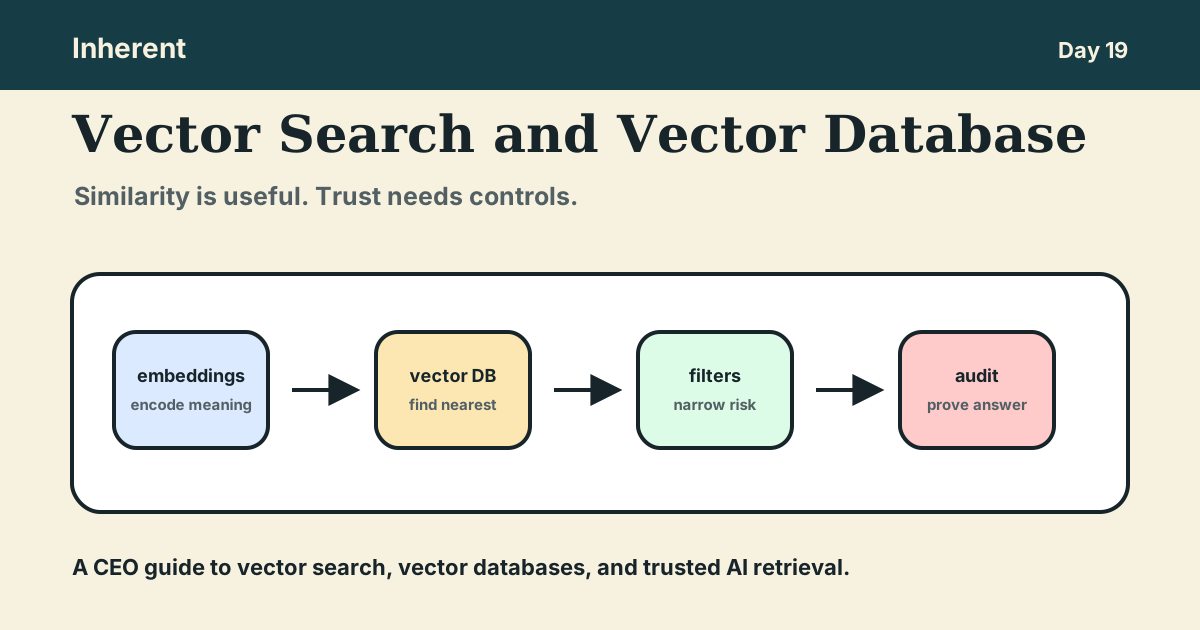
Vector search helps AI systems find information by similarity, not only by exact words. A vector database stores the numerical representations, or embeddings, that make that similarity search fast enough to use inside AI search, RAG pipelines, and agent workflows.
So what: vector search can make company knowledge easier to retrieve, but it does not make that knowledge current, approved, permission-safe, or defensible. CEOs should treat a vector database as one retrieval component, not the whole AI memory architecture.
Previous post: Semantic Search for CEOs: When AI Search Can Be Trusted.
For the series starting point, read What Is AI in Business? A Plain-English Guide.
What this post covers
By the end, you should be able to decide where vector search fits in one AI workflow and what controls your team needs before using retrieved content in front of employees, customers, or auditors.
- What vector search does in plain English.
- Why a vector database is useful but incomplete.
- How embeddings, indexes, filters, and retrieval fit together.
- Where keyword search and hybrid search still matter.
- Which failure modes CEOs should ask about before approving production use.
- A vector search decision worksheet to run today.
Vector search is the matching mechanism behind meaning-based retrieval
Vector search compares a query to stored vectors and returns the items that are closest in meaning or similarity. In AI search, those vectors usually come from embeddings: numerical representations of documents, chunks, tickets, policies, products, or user questions.
Pinecone's semantic search docs describe this as searching dense vectors for records most similar in meaning and context to a query. Microsoft's Azure AI Search vector overview explains the same basic flow: create embeddings, index them, encode the query, and return the nearest neighbors.
Technical explanation
Imagine a support policy, a contract clause, and a customer question. An embedding model converts each one into a vector. Vector search asks: which stored vectors are nearest to the query vector?
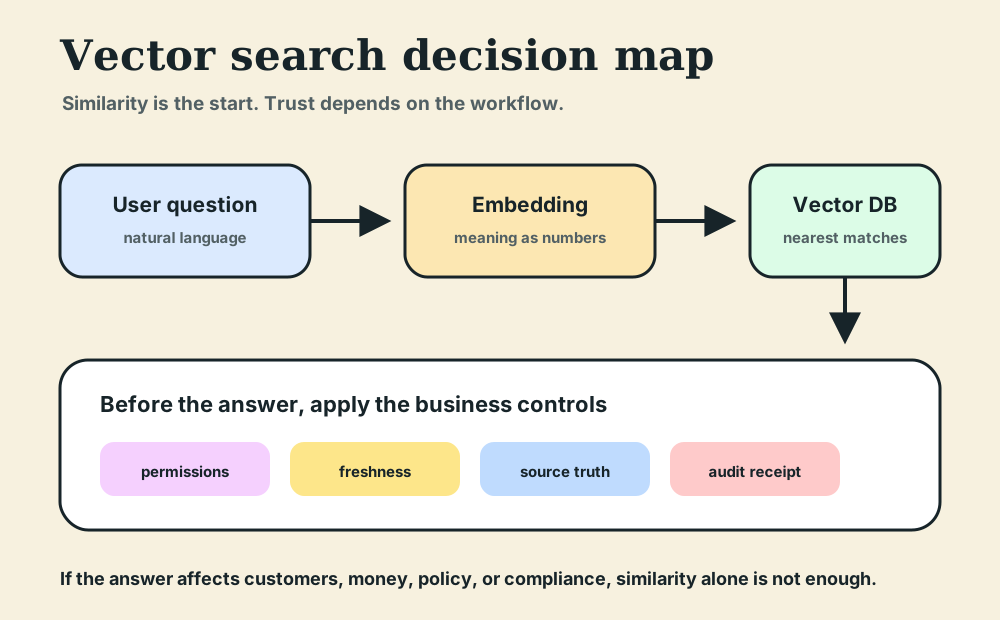
That is why vector search is useful when people ask questions in natural language. "Can we give money back after renewal?" may match a policy called "post-renewal refund exception" even though the words are different.
Business explanation
The CEO-level point is simple: vector search improves discovery when business language is messy.
Employees do not always know the official policy name. Customers do not phrase questions in product taxonomy. Sales teams ask for "companies like this prospect" instead of exact database filters. Vector search helps the system find plausible context across inconsistent wording.
That benefit is real. The risk is treating plausible context as approved truth.
A vector database stores similarity, not authority
A vector database stores vectors, indexes them, and returns similar items quickly. Tools such as Pinecone, Weaviate, Qdrant, MongoDB Vector Search, pgvector, and Azure AI Search can all play this role in different architectures.
MongoDB's Vector Search overview defines vectors as arrays of numbers that represent data in multiple dimensions and explains that semantic similarity is determined by distance between vectors. pgvector's documentation frames the same capability inside Postgres: exact and approximate nearest-neighbor search, distance metrics, and normal Postgres features such as joins and point-in-time recovery.
That is useful infrastructure. It is not the same as business authority.
A vector database can retrieve:
- an old policy that is semantically close,
- a draft deck that sounds more relevant than the approved page,
- a private customer exception the user should not see,
- a chunk without the surrounding business rule, or
- a near match that answers the wrong segment.
The database can tell the system what is similar. It cannot decide by itself what the business trusts.
For CEOs, the question is not "do we have a vector database?" The better question is:
Which source is authoritative, who can retrieve it, how fresh is it, and what proof will we keep after the answer?
The retrieval stack has four decisions, not one
Vector search works best when leaders separate the stack into four decisions. Each one answers a different business question.
| Layer |
What it does |
CEO question |
| Embeddings |
Turn text, images, records, or chunks into vectors. |
What business meaning are we encoding? |
| Vector database |
Stores and searches vectors at useful speed. |
What should be searchable, and at what scale? |
| Filters and ranking |
Narrow results by metadata, permissions, source, or exact terms. |
Which similar results are allowed and useful? |
| Audit and evidence |
Preserve the source, chunk, version, user, and retrieval event. |
Can we explain why the AI used this context? |
The first two layers make retrieval possible. The last two make retrieval usable in serious workflows.
This is the same operating lesson from the RAG Pipeline CEO guide. The answer path matters: source truth, ingestion, retrieval, ranking, generation, and evidence. Vector search is one important step in that path.
Filters and hybrid search turn similarity into safer retrieval
Similarity alone is often too broad for business use. A workflow may need documents from the right workspace, region, customer tier, product version, department, or permission group.
Qdrant's filtering documentation gives practical examples of adding conditions to search and retrieval when business requirements cannot be expressed fully in the embedding. That is the key operating point: metadata matters because not every important rule is semantic.
Keyword search also still matters. If the user searches for a policy code, contract ID, customer name, SKU, invoice number, or legal clause, exact matching may be safer than meaning-based search.
Microsoft's hybrid search overview describes hybrid search as combining full-text and vector queries in a single request, then merging the results. It also states the practical reason: vector search is strong for conceptual similarity, while keyword search is strong for precision.
For CEOs, this creates a useful rule:
- Use vector search when wording varies and the goal is discovery.
- Use keyword search when exact terms, IDs, names, dates, or legal language matter.
- Use hybrid search when the answer affects customers, money, policy, or compliance.
- Add filters whenever permissions, source authority, region, product tier, or freshness matter.
The more the answer changes a real decision, the less the company should rely on similarity alone.
The main risks are stale context, wrong access, and missing proof
Most vector search failures do not look like database failures. They look like confident AI answers that used the wrong context.
Consider a customer support workflow. A user asks:
"Can this customer get a refund after renewal?"
Vector search may find a close policy chunk about renewal exceptions. That is a good start. But the business still needs to know:
- Is this the current refund policy?
- Does the policy apply to this customer's region and contract?
- Is the support rep allowed to see the customer's plan details?
- Did the retrieval include the approved source or an outdated draft?
- Can the team replay what the AI saw if the answer is challenged?
If those questions are unanswered, the risk is not that vector search is bad. The risk is that the company confused retrieval with governance.
This is why semantic search and vector search both need the same operating controls: source truth, permission-aware retrieval, freshness, refusal behavior, citations, and receipts.
Use this vector search decision worksheet
Run this before approving vector search or a vector database for one AI workflow.
Workflow:
Who uses the answer:
Who is affected if the answer is wrong:

Retrieval goal:
Is the user discovering related knowledge, finding an exact record, or both?

Sources:
Which systems are authoritative?
Which sources should never be indexed?
Who owns freshness for each source?

Search method:
Vector search is needed because:
Keyword search is needed because:
Hybrid search is needed because:

Filters:
Required permissions:
Required metadata:
Required source version or freshness limit:

Evidence:
What should the answer cite?
What retrieval event should be logged?
Who can inspect the receipt?

Decision:
Vector search is enough:
A vector database is enough:
A governed retrieval layer is required:
If your team cannot fill this in, do not start by comparing vector database vendors. Start by defining the answer path the business can trust.
What should you do today?
Pick one AI search, support, sales, operations, or finance workflow where the team wants "company knowledge" inside an AI answer.
Write one sentence:
This workflow needs vector search for [reason], but it cannot launch unless retrieval also controls [risk].
That sentence will separate the useful retrieval problem from the governance problem.
The practical benchmark is clear: use vector search to find meaning, use filters and hybrid search to narrow the answer, use source truth to decide what counts, and use audit receipts to prove what happened.
Inherent is built around that model: source truth before retrieval, governed memory during retrieval, and an audit layer after the answer.
Small action for today: run the worksheet on one workflow. If you are building this yourself, DM Flow with the first field your team cannot answer. That gap is probably the next architecture decision.