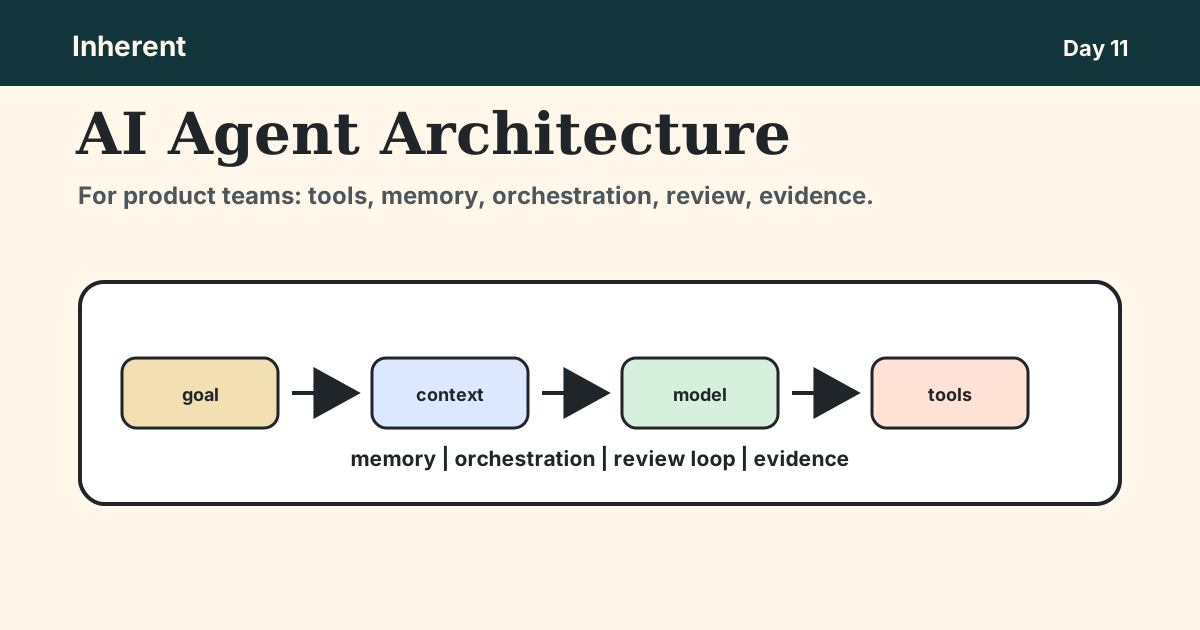
By the end, you should be able to sketch the architecture behind one agentic feature idea and identify which parts are product decisions, not only engineering decisions.
- Why AI agent architecture is a product control model.
- The basic agent loop and the decisions behind each component.
- How tools turn an agent from an answer into product behavior.
- Why memory and context need explicit product boundaries.
- How orchestration choices define autonomy.
- Where review loops and evidence belong in the architecture.
- A practical architecture sketch to run today.
AI agent architecture is a product control model, not a model diagram
AI agent architecture describes the operating loop around a model: goal, context, tools, memory, orchestration, review, and evidence. The model matters, but the product risk usually sits around the model, where the system decides what to retrieve, what to call, what to remember, and when to stop.
OpenAI's practical guide to building agents frames agents as systems that combine models, tools, instructions, guardrails, and handoff paths. Anthropic's agent guidance makes a useful architectural distinction: workflows follow predefined code paths, while agents let the model dynamically direct process and tool use.
For product teams, the important question is not "which model should we use?" The better question is:
What is the agent allowed to know, do, remember, escalate, and prove?
That is why AI agent architecture belongs in product strategy, not only engineering design.
The basic agent loop has seven product decisions
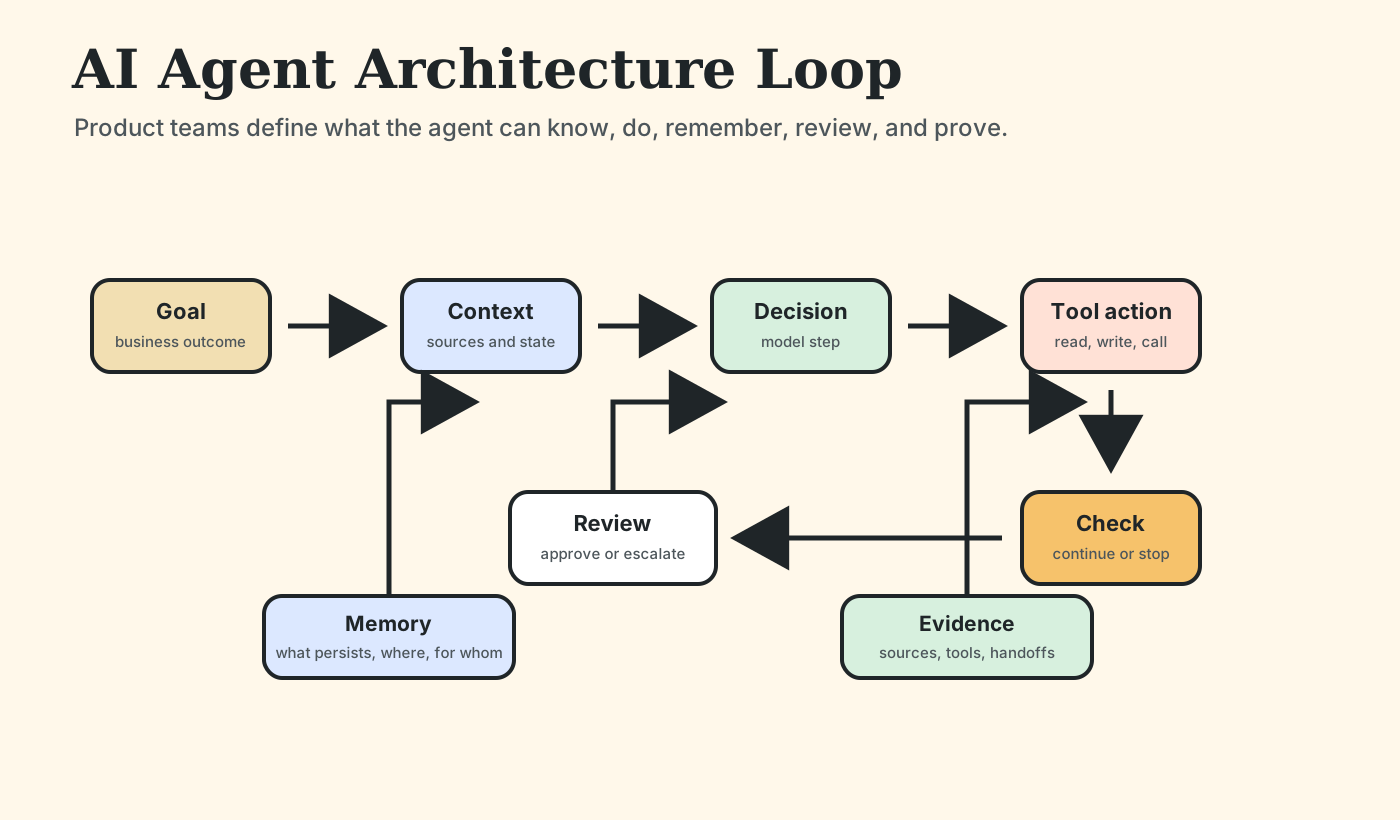
The basic agent loop is simple enough to draw on one page. The hard part is deciding what each box is allowed to do.
| Component |
Product decision |
| Goal |
What outcome should the agent pursue? |
| Context |
Which user, workflow, and company information can it use? |
| Tools |
Which systems can it call, read, or update? |
| Memory |
What should persist across turns, sessions, or workflows? |
| Orchestration |
What sequence, branching, or handoff controls the work? |
| Review |
When does a human approve, correct, or take over? |
| Evidence |
What proof should appear after the agent answers or acts? |
This is the product-level architecture. Engineering will later choose runtime, APIs, state stores, queues, vector indexes, and observability. But product needs to define the loop first because each component changes user trust and business risk.
If the feature is "AI sales follow-up," the goal may be to prepare a recommended next step, not send the email. The context may include CRM notes and recent emails, not private support tickets. The tool may draft in the CRM, not contact the customer. Review may be required before any external message. Evidence may show which account notes and playbook sections shaped the recommendation.
Those are product decisions.
Tools are the line between "the AI suggested something" and "the product did something." A model without tools can explain, summarize, or recommend. A model with tools can update records, open tickets, send messages, reserve inventory, trigger workflows, or call internal APIs.
That is why tool access should be treated like product surface area.
A support agent can have several possible tool permissions:
- Draft a reply for a human to review.
- Tag a ticket as billing, account access, or product issue.
- Look up order history.
- Request refund approval.
- Issue a refund below a threshold.
- Escalate an exception to a manager.
Those actions have different risk levels. The product requirement should define which tools are available, what inputs each tool accepts, which user roles may invoke them, what thresholds require approval, and what rollback or correction path exists.
Anthropic argues that tool design deserves careful attention because agents use tools through the interface product and engineering expose to them. Microsoft Agent Framework's overview similarly lists model clients, sessions, context providers, memory, middleware, MCP clients, and workflows as building blocks for robust agent applications.
The implication is straightforward: if a tool can change business state, product owns the permission boundary.
Memory and context decide what the agent is allowed to know
Context is the information assembled for the current task. Memory is what persists beyond the immediate step. Product teams should separate those ideas because each creates a different failure mode.
Context answers:
- Which policy, record, ticket, customer, account, or document should the agent use now?
- Which version is authoritative?
- Which user is allowed to see it?
- How fresh does it need to be?
Memory answers:
- What should the agent carry forward from this interaction?
- Should memory be scoped to a user, workspace, account, or workflow?
- How long should it persist?
- Who can inspect or delete it?
The danger is silent carryover. An agent may remember an old customer exception, retrieve a stale policy, or mix context across users if the architecture does not define boundaries. That is the same operating problem behind context engineering: the product must shape which information reaches the model, when, for whom, and with what proof.
LangGraph's overview is useful here because it separates orchestration runtime concerns from product behavior. It describes durable execution, human-in-the-loop, persistence, and memory as core capabilities for long-running stateful agents. Product leaders do not need to implement those primitives, but they do need to specify where state should exist and where it should not.
If the team cannot answer the memory questions, the agent feature is not ready for live users.
Orchestration is where product teams choose autonomy boundaries
Orchestration decides how work moves through the agentic workflow. This is where product teams choose how much autonomy the system should have.
| Pattern |
Use when |
Product risk |
| Workflow |
The path is known and repeatable. |
Too rigid when exceptions are common. |
| Single agent |
The path varies, but goal and tools are bounded. |
The agent may choose the wrong next step without review. |
| Multi-agent architecture |
Subtasks need specialized roles or parallel work. |
Coordination, shared state, and accountability become harder. |
Microsoft's AI agent orchestration patterns show several ways to structure multi-agent systems, including sequential, concurrent, group chat, handoff, and other orchestration patterns. The important product point is not the pattern name. It is the control question: which parts of the process should be deterministic, and which parts can vary?
For many product features, a workflow is better than a free-form agent. If the support process is predictable, use a controlled sequence. If the user problem varies but actions are bounded, a single agent may be enough. If the task needs specialized sub-work across research, drafting, checking, and escalation, multi-agent architecture may be useful, but it also increases coordination risk.
The product leader's job is to avoid unnecessary autonomy. Start with the simplest loop that solves the user problem and add flexibility only where the workflow genuinely needs it.
Review loops and evidence are part of the architecture
Human review is not a generic safety blanket. It is an architectural decision. The product must specify where review happens and what the human is expected to approve, correct, or audit.
There are at least four review patterns:
- Approve before action: the agent prepares work, but a human approves before a system changes.
- Review after recommendation: the agent suggests the next step, and a human accepts or edits it.
- Escalate on uncertainty: the agent stops when confidence, policy, or permissions are unclear.
- Audit after completion: the workflow logs enough evidence for later inspection.
Evidence is what makes review useful. It should show the context used, tool calls made, memory touched, handoff decisions, and final action. Without evidence, a human reviewer is only judging the agent's surface answer.
This is where product architecture connects to Inherent's operating model: an agentic feature needs a truth layer, a memory layer, and an audit layer. The truth layer tells the agent which sources are authoritative. The memory layer controls what persists. The audit layer proves what happened.
Those layers do not need to be complicated on day one. They do need to be explicit before the agent can act in a real workflow.
Draw the architecture behind one agentic feature idea
Pick one feature idea: onboarding assistant, support triage agent, sales follow-up agent, finance exception agent, product research agent, or internal policy assistant.
Draw this architecture before writing requirements:
Agent feature:
Business outcome:
User workflow:

Goal:
What should the agent complete or prepare?

Context:
Which sources, user state, and workflow state can it use?

Tools:
Which systems can it read, write, or trigger?

Memory:
What should persist, for whom, and for how long?

Orchestration:
What steps, branches, or handoffs control the loop?

Review:
When does a human approve, correct, or take over?

Evidence:
What should be logged or shown to prove what happened?
If one box is hard to fill, that is the architecture gap. Do not hide it behind the phrase "AI agent." Name the missing control before engineering starts.
DM Flow on X with the box that is hardest to fill. That weak box is the starting point for a company context audit.